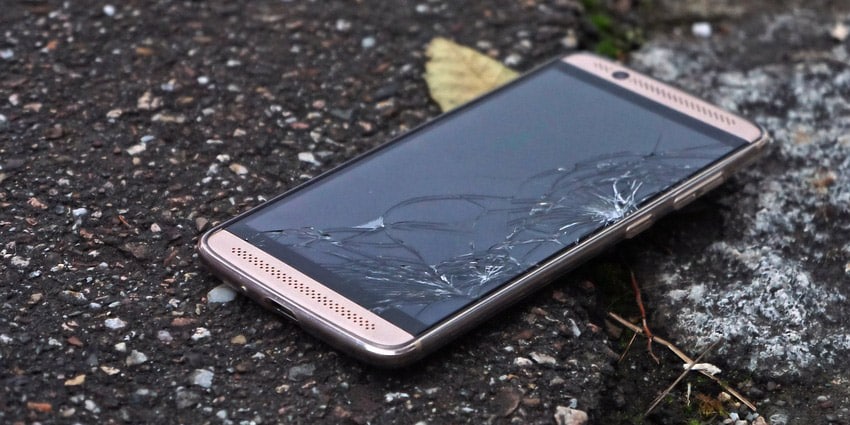
My precious smartphone is broken… Misery in Middle Earth… Or not… Tough choice: follow Sauron’s steps or fix my smartphone? What, is that a bit extreme as a choice? Well, all this to say that you don’t have to go to the dark side of the Force (yes, I know the mix of references, it’s my geek side coming out) since it is possible to repair your smartphone EAS-I-LY (I describe the number of syllables I want, yes, thank you). But before you embark on the adventure of smartphone repair, there are a few things you need to know to become the king or queen of Mordor!
Tip 1: Differentiate between the LCD screen and the touch glass
While the latest smartphones have assembled screens, meaning the LCD screen forms a block with the touch glass, there are still some models where the two can be separated. This is particularly the case with many tablets (iPad or Galaxy Tab) or handheld consoles. Assembled screens require strong tools and LCD splitters that are not necessarily cost-effective for occasional DIYers to disassemble (such as iPhone screens or the latest Samsung Galaxy screens). In this case, whether it’s simply a touch responsiveness issue or display issue, or even a cracked screen, there is no alternative but to replace the complete screen block.
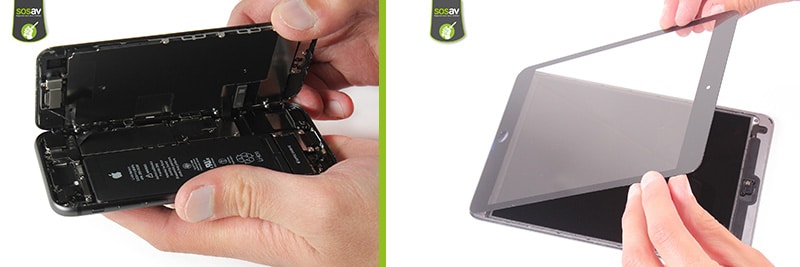
But on some devices (unfortunately increasingly rare), it is still possible to separate the screen from the glass. So it’s useful to know how to identify the part you need to change based on the issues encountered. How do I know if my LCD screen is broken? If the screen is of poor quality, if the colors are abnormal, if black spots or colored lines appear, if the screen is very dark/light or totally black while the device vibrates or rings (is on what). How do I know if I only need to change my touch glass? If there is a superficial crack, if the touch struggles to respond in an area of the screen or doesn’t work at all, if there are too many scratches making the device unusable.
But most current smartphones have an inseparable screen block :/

Tip 2: Identify the component to change
This may seem silly, but wanting to repair your phone, tablet, or console is good. But it is always necessary to know exactly where the problem comes from! Often, it’s a simple logical reasoning where elimination is necessary. The first reflex to have, which can avoid the repair, is to update your operating system and/or restore your device. There may be a software bug or an application that is no longer running. Of course, you need to think about backing up all your data beforehand.
Otherwise, you need to ask simple questions that involve simple answers. For example:
- I can no longer take selfies? My camera is broken. Yes, but which one? I know I keep my phone in front to see my selfie face when taking the picture, so the front camera is used. I therefore need to replace the front camera.
- My smartphone makes no sound? The speaker is at fault. But which one? Do I have sound when I call? Yes, so it’s not the internal/listening speaker that transmits my interlocutors’ voices. On the other hand, I can no longer hear the music from my videos, so it’s the external speaker that is the problem. Be careful, you will see that the sound comes from the bottom of the phone because that’s where this speaker is located.
- Does the power button stay pressed or no longer respond? Is the button physically broken? No, then the button is not involved, but the ribbon cable that manages it is at fault.
- My phone refuses to charge? This is a tricky question because there are two possibilities. Either the battery is worn out and you need to change it, or replace the charging connector (the micro USB/USB-C/Lightning port). It may even happen that both need to be replaced. Your device was already running low on battery and you’ve had it for more than a year or two, there’s a strong chance the battery is tired. Your computer no longer recognizes your smartphone but battery life is not an issue? It’s likely that the charging connector needs to be changed.
- And so on.
You get it, to repair your smartphone, you often need to proceed by elimination. There are problems where the solution seems logical, but sometimes it is necessary to eliminate the suspect components to find the culprit! Moreover, our experts are here to help you in this search for faults if you are a bit lost, whether by email or on our forum 🙂
Tip 3: Act quickly when your smartphone falls into the
An idiotic accident but it happens to many (really many) people! Your smartphone falling into water is a real moment of panic but you need to know the right gestures to save it from imminent death. Even though many recent smartphones are “waterproof,” they are actually not made to be submerged in water. They can withstand, more or less well, splashes or shallow immersion (under a tap for example). In any case, it is not possible to go back (no ctrl Z… sniff), so have the right reflexes and keep your cool!
The first thing to do: rinse with demineralized water if it fell into “dirty” water. Yes, it sounds strange, but it will limit corrosion. It should then be left to dry at room temperature, especially do not dry it with a hairdryer or on a radiator. The rice technique is not necessarily useful… The ideal is to dismantle as many components (especially the battery to avoid short circuits) to let it dry. It is not necessary to charge it right away, wait a good day before turning it on again. It may also be useful to perform a good deoxidation to eliminate traces of oxidation. It is only after deoxidizing your smartphone that it is possible to know if any components have been damaged by immersion.
Tip 4: Have patience and use the right tools
We can never repeat it enough: to repair your smartphone, you need to arm yourself with patience, especially if it’s your first time! But with the right advice, it’s a completely achievable maneuver. And this, despite the urban legend, widely propagated by smartphone and tablet manufacturers. To start calmly in smartphone repair, you just need to take your time and inform yourself so as not to blindly throw yourself into something you don’t necessarily control. That’s why our SoSAV team has created thousands of repair tutorials to explain, step by step, how to repair your phone, tablet, or console yourself and no longer depend on the manufacturer’s service.
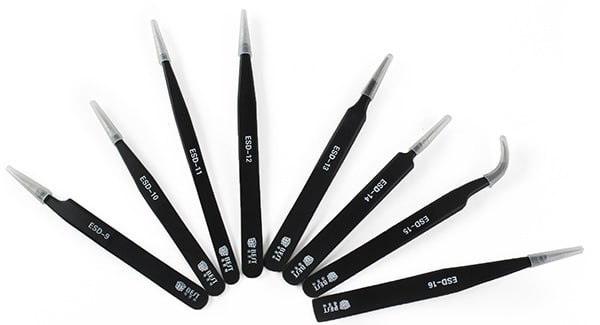
Most mobile phones can be repaired with our universal tool kit, but there are also some essential tools indicated in each of our repair guides. You also have the option to equip yourself with more professional equipment if you have taken a liking to phone repair! You should know that the screws used in a phone are very small. Even the most DIY-oriented among you probably won’t have the right screwdriver in their toolbox! Especially for iPhone or iPad as Apple doesn’t like to do things like everyone else, and uses a proprietary screw format, the pentalobe…
Tip 5: Don’t hesitate to have your smartphone repaired by a pro
Sometimes, the malfunction is much more complex than it seems and requires more advanced skills. Perhaps even micro-soldering on the motherboard. 80% of malfunctions are easily repairable, but can incur costs when you are unable to quickly identify the problem. And beyond that, there are issues that require precise knowledge. Micro-soldering resolves most problems. But it is better to entrust it to a professional at the risk of permanently damaging your device.
And there are cases where we dare not start... And that’s not so bad in the end! The important thing is to go through the process of wanting to repair your smartphone. Because it remains more economical than buying a new one. It is also environmentally friendly because you are not unnecessarily throwing a device into the market state. So, no shame in not wanting to take the step, there are professional smartphone repairers, like our Captain Repair, who are there to bring life back and resurrect all your devices! Repair heroes at your fingertips, it would be foolish to deprive yourself 😀
Tag: repair a phone screen